
Cricut Easter Basket | Easy & Free 3D SVG File


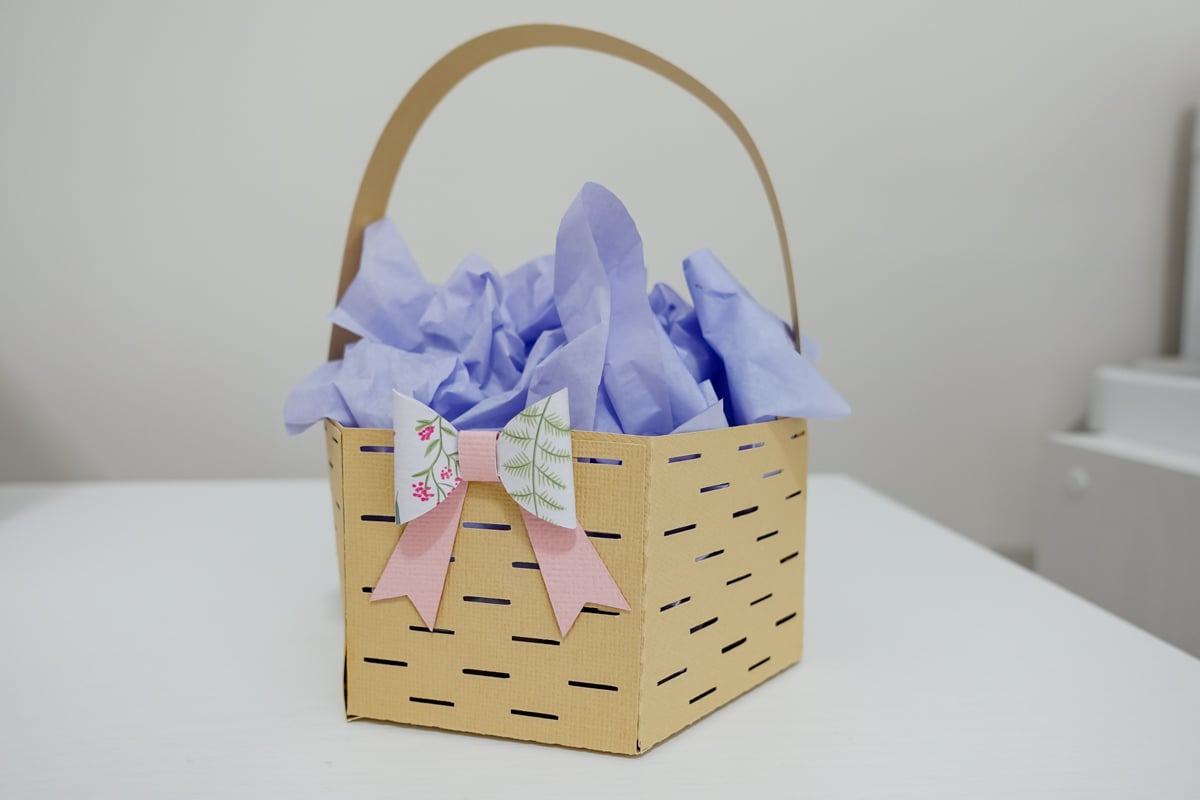
Creating your own Easter baskets is a fun way to add a personal touch to your Easter celebration. With this Cricut Easter basket tutorial, you can craft an adorable DIY Easter basket using only cardstock and craft glue. Plus, you can grab the free SVG file by signing up for my community vault!
This Easter project is perfect for filling with sweet treats and small gifts. Whether you’re making a cute basket for your kids, friends, or as a festive decoration, this tutorial will guide you through the easy steps.
Materials Needed
*this blog contains affiliate links, please read my disclosure here.
To make this DIY Easter basket, you only need a few supplies:
- Cardstock (solid colors or patterned for extra flair) – I used a 65 lb textured cardstock.
- Craft glue (hot glue can also be used for quicker drying) – I love using Bearly Arts for my paper crafting.
- Cutting machine (Cricut Maker, Cricut Explore Air, or Cricut Joy) – keep in mind if using a Joy or a Silhouette portrait, the basket will need to be smaller.
- Standard grip mat or a light grip mat
Download the Free Cricut Easter Basket SVG File
To get my Cricut Easter Basket SVG digital download, go to my free community vault under Design Number #177. This file is included in a zip folder for easy access.
Sign up for my newsletter to receive the free password and stay updated on new designs.
Read this blog post for step-by-step instructions on downloading and extracting SVG format files. The download link is quick and easy to use!
This SVG file is available for personal use and commercial use with a small business commercial license. You can create finished physical products to sell, but please check the license terms before using it for large-scale production.
How to Cut and Assemble Your Cricut Easter Basket
This Easter basket SVG file is designed to be easy to cut and assemble, making it a great DIY project for beginners and seasoned DIY enthusiasts alike.
1. Download and Upload the SVG File
Sign up for my community vault to access this free SVG file along with many other Easter SVG files! Once downloaded, upload it to Cricut Design Space.
2. Resize and Adjust Settings
The file can be resized as needed. My finished design was 13.68 inches by 10.72 inches for the entire cut file. Before cutting:

- Adjust colors if desired.
- Make sure to attach the perforation lines to the base so the Cricut machine knows where to score. I opted for perforation lines on this file for ease of folding lines. You can 100% change these to a score line but keep in mine they will still have the gaps. You do not need the perforation blade for this file.
- Place your cardstock on the standard grip mat and allow your machine to cut! I used the medium cardstock setting.
3. Cut the Basket Pieces
Once your settings are in place, load your cutting mat and let your Cricut Maker, Cricut Explore Air, or Cricut Joy do the work! The basket structure pieces will include:
- The main basket piece which consists of the base and sides all in one.
- The handle
- The decorative bow – this has 3 pieces to assemble.
4. Fold and Assemble the Basket
After cutting, carefully fold along the score/perforation lines to create the basket shape. Then:
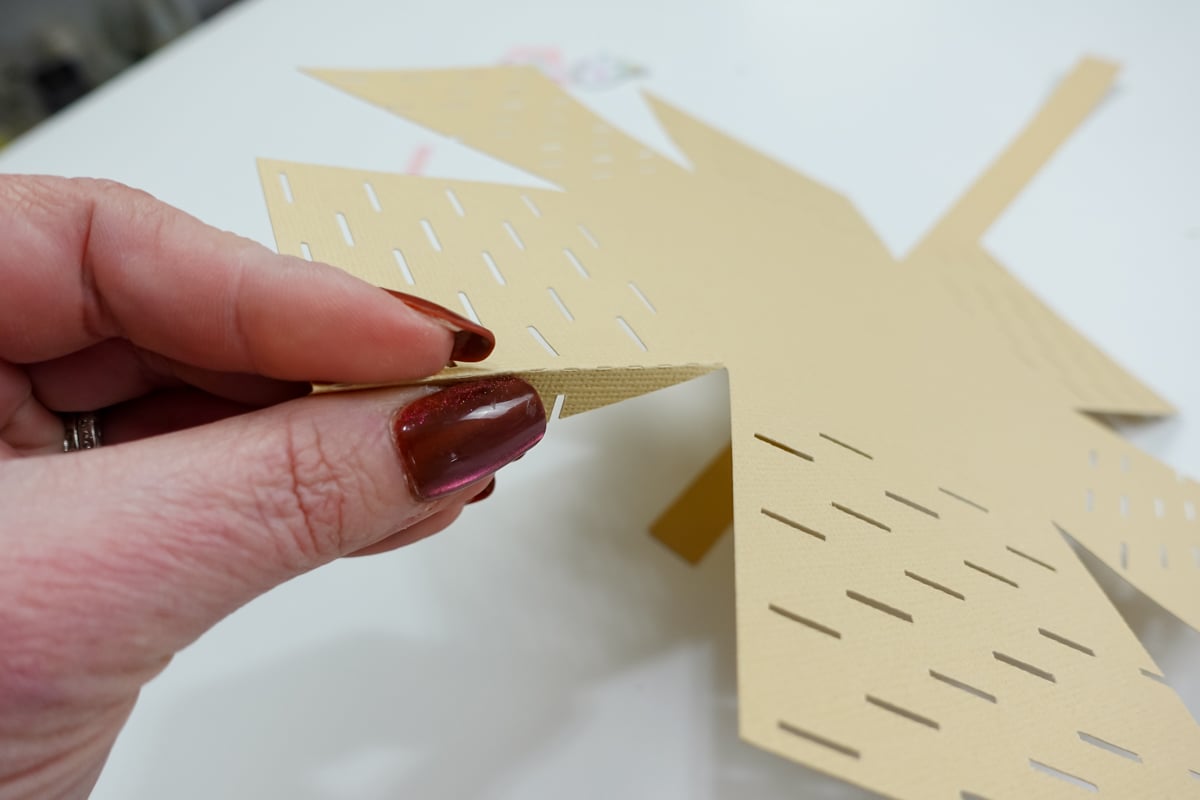
- Apply craft glue to the side tabs and press them inside the basket.

- Secure the end of the handle to the sides of the basket.

5. Make the Paper Bow
- Fold the two sides inward and glue them at the center.

- Wrap the small piece around the center to cover the overlap.


- Glue the finished product to the basket for a polished look.
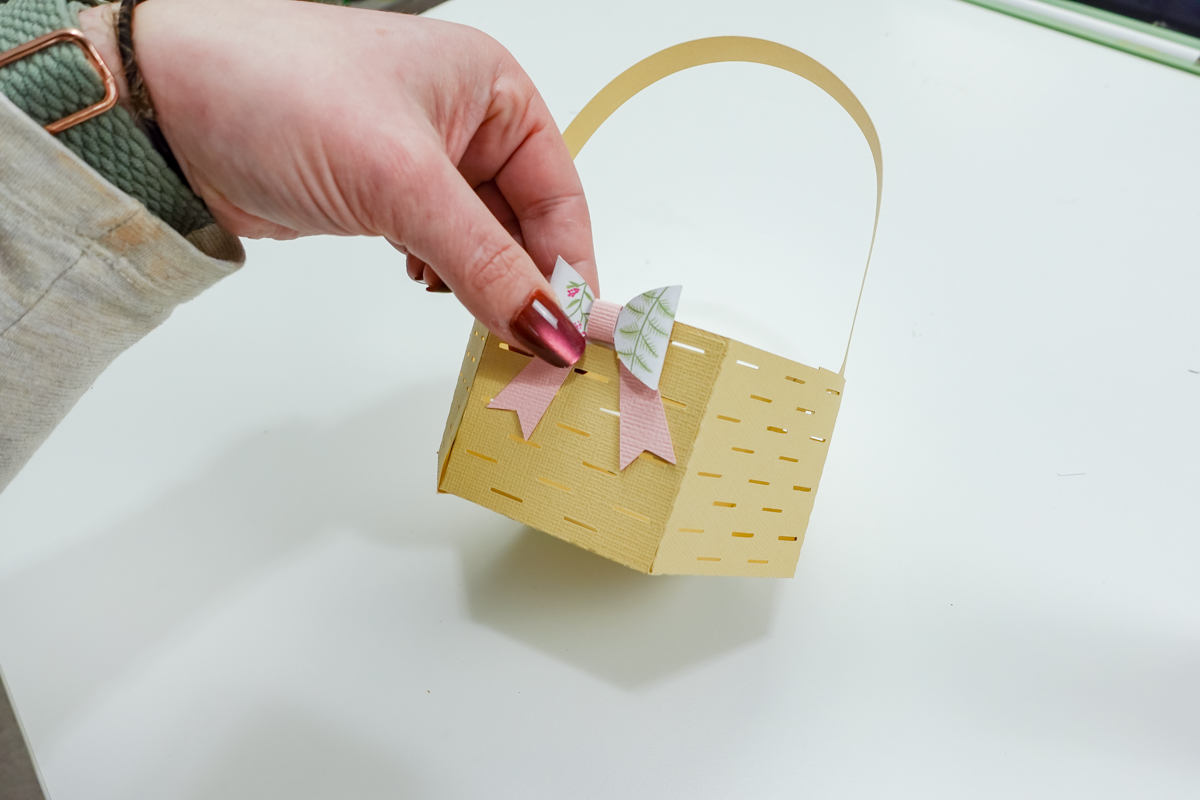
6. Add Custom Details
To make your basket unique, consider:
- Adding a child’s name with Cricut vinyl.
- Using transfer tape to attach intricate designs.
- Cutting a bunny shape or other decorations.
More Cricut Easter Basket Ideas
Looking for more Cricut Easter basket ideas? Try these:
- Use pastel-colored cardstock for a classic Easter crafts look.
- Add Easter grass inside to fill the basket.
- Make multiple baskets in different sizes for an Easter celebration.
- Customize your basket with adorable Easter baskets themes like puffy tails and peeps!
For even more Easter SVG files, check out my Easter SVG collection and my Easter lily SVG!

Making your own Cricut Easter basket is an easy way to create something special for your Easter celebration. With just a few supplies and a free SVG file, you can craft a beautiful, handmade Easter basket perfect for gifting, decorating, or filling with sweet treats. Don’t forget to share your finished baskets with me on social media—I’d love to see how yours turned out!



Kelsey,
I just love this! I will start your beautiful baskets early, too!
Thank you!
Kathy
Thank you so much for this freebie! I just finished making a bunch for my Easter dinner table. They turned out so cute!