
10 Best Websites for Crafters Using Cricut


If you’ve ever felt like crafting with your Cricut keeps getting more overwhelming or expensive, you are definitely not alone. Between Cricut Access, SVG files, fonts, mockups, and design software, there is so much to remember how to do or where to find it. The good news is that there are so many amazing resources online that can help you create beautiful projects without spending a fortune. And I have rounded them all up for you.
Today, I’m sharing the best websites for crafters that I personally use all the time in my own craft room. Some of these tools are completely free, while others have optional paid upgrades if you decide you love them. Whether you’re a hobby crafter making gifts for your family or a small business owner selling shirts, tumblers, stickers, and SVG files, these websites can save you time and help you create better projects.
A lot of these are also great alternatives if you’re trying to cut back on Cricut Access costs.

*this blog may contain affiliate links which help me earn a small commission at no extra charge to you, read my full disclosure here.
1. Kittl Design
If you want to make SVG files without being a graphic designer, Kittl is one of the best tools out there right now.
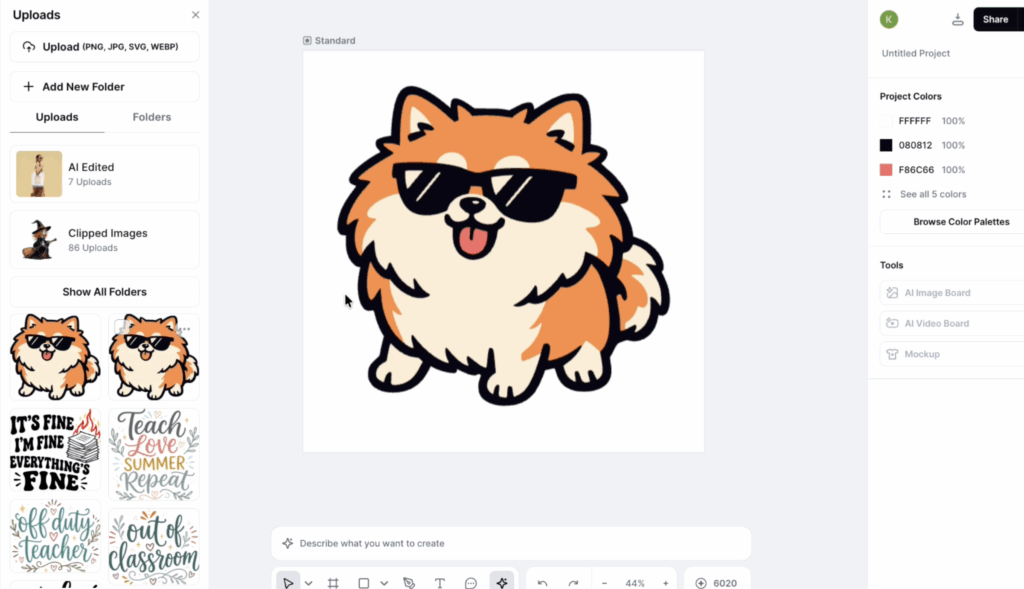
Kittl is basically an all-in-one design platform (similar to Canva) where you can create SVGs, graphics, mockups, social media posts, and even AI-generated artwork. One of my favorite things about it is how beginner-friendly it feels compared to programs like Adobe Illustrator.
You can start with a blank artboard and describe what kind of image or SVG you want to create. Kittl can generate artwork for you, and then you can vectorize it into an SVG file for Cricut projects. It’s honestly pretty impressive how quickly it works.
Cricut has updated their AI in Cricut Design Space but in myu opinion it’s just super limited.
Another reason I think this is one of the best websites for crafters is that it replaces several different tools in one place. You can:
- Create SVG files
- Make mockups
- Generate AI graphics
- Create videos
- Upload PNGs and vectorize them
- Design social media graphics
If you’re a small business owner, this is where Kittl really shines. Their paid plans include commercial licensing, which means you can sell the designs you create.
Now, Kittl does have a free version, but it is more limited. I personally use one of their paid plans because I use it constantly for my crafting business. However, I absolutely recommend starting with the free version first to see if it fits your workflow before upgrading.
At the time I’m writing this, their yearly plans start around $12 per month, which is more expensive than Cricut Access, but you get significantly more design tools.
If you’re mostly a hobby crafter, you may not need the paid version at all. But for small businesses, this is honestly one of the best websites for crafters who want to make their own SVG files and mockups.
2. TemplateMaker.nl
If you love paper crafts, gift boxes, party favors, or treat holders, TemplateMaker.nl is an absolute hidden gem.
This website is completely free and lets you generate custom box templates in seconds. You simply type in the dimensions you want, and it creates the template for you in real time.
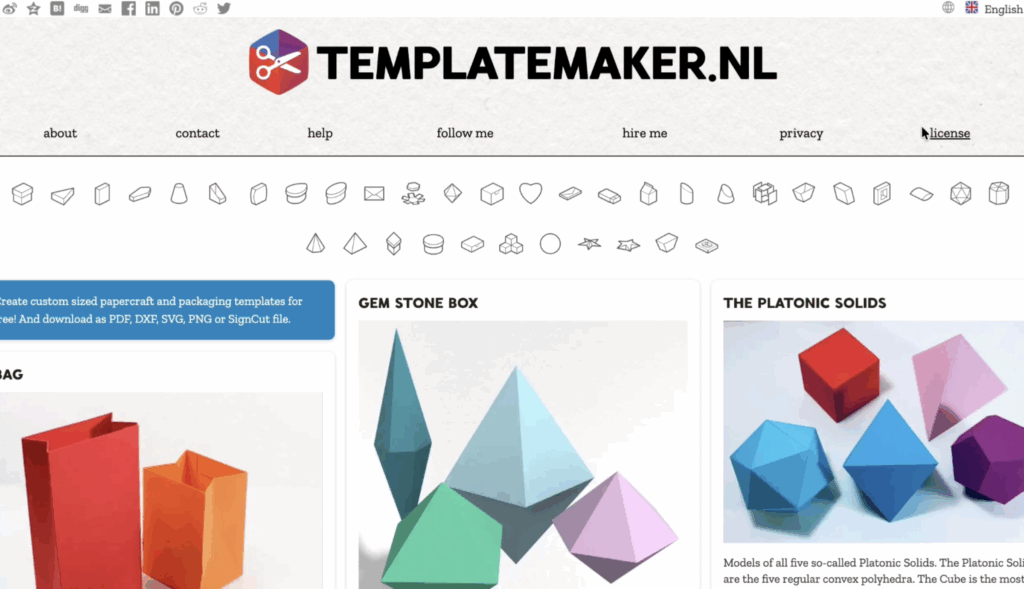
You can make:
- Pillow boxes
- Favor boxes
- Star-shaped boxes
- Polygon boxes
- Nested trays
- Cartons
- Decorative packaging
One thing I really love is that you can download the templates as SVG files. I personally recommend downloading the SVG version instead of the Cricut file because I’ve found the SVG uploads more smoothly into Cricut Design Space.
If you create holiday crafts or party decorations, this quickly becomes one of the best websites for crafters because you don’t have to spend hours designing packaging from scratch.
The creator of the website has a very generous license for personal crafting use, but you should still read the usage terms carefully before reselling the actual files themselves.
For paper crafters especially, this site is a must-bookmark resource.
3. Monogram Maker
Monograms are still incredibly popular for Cricut projects, especially for gifts, weddings, tote bags, cups, and home decor.
This free monogram maker makes the process super simple.
You just:
- Type your initials
- Choose your monogram style
- Pick a frame
- Download the design
That’s it.
You can even choose one-letter, two-letter, or three-letter monograms depending on the look you want.
One thing to know is that you do need to create a free account before downloading your design. Thankfully, they do not charge for the basic features.
This is one of the best websites for crafters who don’t want to pay Cricut Access fees just to use the monogram feature. It’s quick, beginner-friendly, and really easy to use.
You can upload the designs into Cricut Design Space as either SVGs or PNGs, depending on your project needs.
4. DaFont
Most Cricut crafters already know about DaFont, but I still had to include it because it’s one of the best resources online for finding unique fonts.
This is where you’ll find:
- Script fonts
- Handwritten fonts
- Holiday fonts
- Disney-inspired fonts
- Gaming-inspired fonts
- Decorative fonts
Basically, if you can imagine it, it’s probably on DaFont.
However, this is also where I need to give a very important reminder: always check the commercial license before selling products made with these fonts.
Many of the fonts on DaFont are for personal use only. Some creators offer commercial licenses for purchase, while others do not allow commercial use at all.
You can usually find the licensing information underneath the font download section.
Even with the licensing limitations, this is still one of the best websites for crafters because the selection is huge. I use it all the time when I’m looking for themed fonts for personal projects.
If you’re a small business owner, just make sure you double-check the usage rights before selling anything.
5. Font Squirrel
If you want free fonts without constantly worrying about licensing, Font Squirrel is a fantastic alternative.
Unlike DaFont, Font Squirrel focuses on commercial-use-friendly fonts, which makes it especially helpful for Etsy sellers and small business crafters.
You download the font files the same way you normally would and install them onto your computer. Then they’ll show up inside Cricut Design Space.
I love recommending this website to beginners because it removes some of the confusion around licensing.
You still want to read the font license information yourself, but overall, Font Squirrel is much safer for commercial crafting projects.
If you sell shirts, mugs, decals, signs, or stickers, this is easily one of the best websites for crafters looking for professional-looking fonts they can legally use in their business.
6. SVGtrace
SVGTrace is an amazing tool if you want to convert PNG images into layered SVG files.
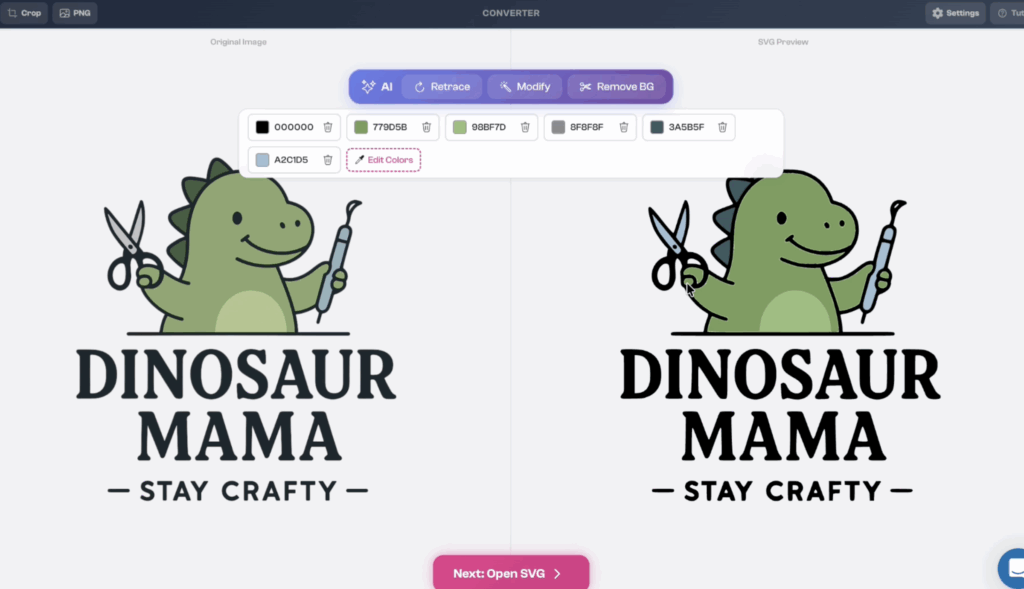
You simply drag your image into the converter, and it creates a layered SVG version that you can upload into Cricut Design Space.
This works especially well with bold, simple graphics that have clean colors. If you try uploading highly detailed photos with gradients, you’ll usually end up with a much messier cut file.
SVGTrace offers both free and paid features.
The free version allows you to do standard SVG conversions, while the Pro version unlocks additional AI tools like:
- Background removal
- Retracing
- Editing
- Image cleanup tools
At the time I’m writing this, they also offer a free trial for the Pro version if you want to test it out first.
For layered SVG creation, this is one of the best websites for crafters because it saves so much time compared to manually tracing images yourself.
7. Design Bundles
If you love free SVG files, Design Bundles is a website you absolutely need to know about.
Their free design section includes:
- SVG files
- PNG graphics
- Fonts
- Craft cut files
- Seasonal designs
- Small business graphics
One thing I really like is that they rotate freebies regularly, so there’s usually something new to download.
You can also search within their free section by theme, which makes it easy to find designs for holidays, birthdays, teachers, sports, and more.
Their sister site, Font Bundles, also offers free commercial-use fonts.
If you’re building a crafting library without spending a ton of money, this is one of the best websites for crafters to bookmark.
8. Inkscape
Inkscape is hands-down one of my favorite crafting tools ever.
This is a completely free program that works similarly to Adobe Illustrator, and it’s what I used when I first started learning how to create SVG files.
With Inkscape, you can:
- Create SVGs from scratch
- Warp text
- Trace images
- Edit layers
- Create custom designs
- Make cut files for Cricut
There is definitely a learning curve at first, but once you get comfortable with it, it becomes incredibly powerful.
I have been using Inkscape since 2019, and I still recommend it constantly to Cricut users who want more control over their designs without paying monthly software fees. I have some tutorials for you here to check out.
9. TextStudio
Text Studio, specifically the text warper tool lets you create curved and warped text designs similar to Cricut Access, but with more flexibility.
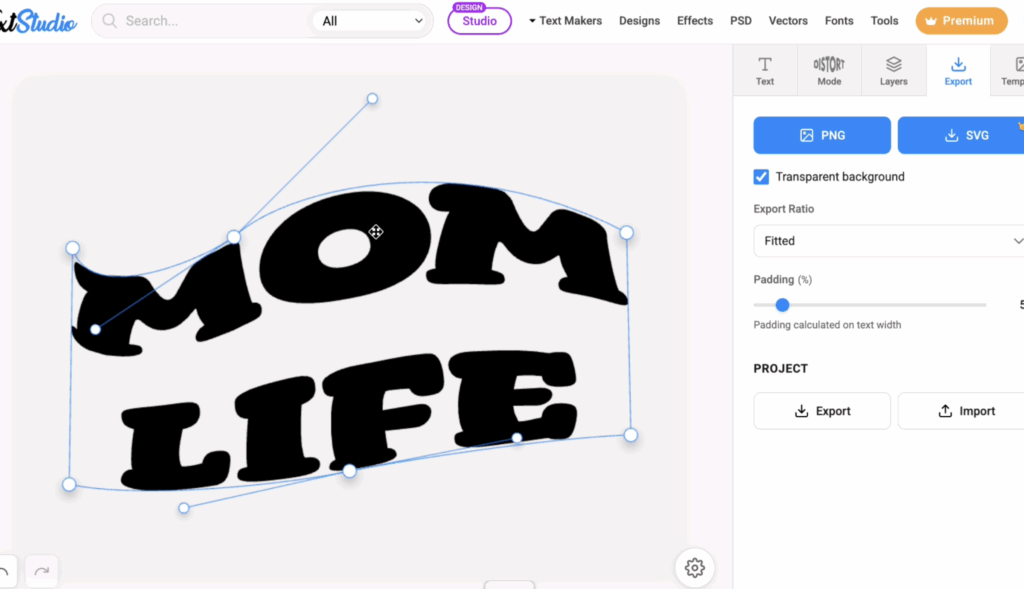
You can:
- Warp text
- Curve text
- Edit text shapes
- Download PNGs
- Create custom text effects
One thing I love is that you can manually adjust the text warp instead of being stuck with Cricut’s limited presets.
The SVG export is a paid feature, but you can still download transparent PNG files for free and upload them into Cricut Design Space.
If you don’t want Cricut Access just for text effects, this is one of the best websites for crafters to experiment with.
10. Remove Background
If you need to remove a background from an image quickly, remove.bg is one of the easiest tools out there.
You simply upload your image, and within seconds it automatically removes the background.
I use this all the time for:
- Print Then Cut projects
- Stickers
- Photos
- Pet images
- Custom gifts
- Social media graphics
The free version gives you a lower-resolution image download, while the paid version offers high-resolution exports.
Honestly though, the free version works perfectly fine for a lot of Cricut crafting projects.
This is definitely one of the best websites for crafters who make stickers, sublimation projects, or personalized gifts.
Bonus: My Favorite Free SVG Resource
If you want SVG files that are already ready to go, you can always visit my free SVGs. Don’t forget to sign up for my newsletter below to get access to my Community Vault as well!
I have over 1500 free SVG files, Cricut tutorials, paper flower templates, holiday projects, and beginner-friendly guides to help you get started.
Everything is organized into categories so you can easily browse different types of projects depending on what you’re making.
I also include tutorials for many of my SVG designs so you can actually learn how to put the projects together instead of just downloading the files.
Whether you’re looking for bookmarks, paper flowers, seasonal crafts, or beginner Cricut ideas, I try to make crafting feel approachable and budget-friendly.
If you found any new resources from this list, let me know your favorite in the comments. I always love hearing about new crafting tools and websites from other crafters because we really do learn so much from each other.
And if you think there’s another website that deserves a spot on this list, share it below so we can keep helping each other grow our crafting skills.
Stay crafty!


![How to Wrap a Starbucks Cold Cup Wrap [with FREE Template]](https://dinosaurmama.com/wp-content/uploads/2022/10/starbucks-wrap.jpg)

Thank you so much for sharing these resources! You are amazing!
I’ve been a crafter and Cricut user for years, and love, love, love your site! Thanks for this list of websites for us crafters – there were a few I’d never heard of and I can’t wait to go check them out. Thanks for sharing!
I think jennifermaker.com should be added to your list. She has an amazing amount of free designs and would be an asset to any crafter.
Thank you so much !
Beverly