
Smores SVG Free Download for Cricut | 3D Box File


Get ready to sweeten up your crafting with this s’mores SVG free download! Perfect for Cricut and Silhouette users, this 3D s’mores box is a fun way to bring the cozy feel of a camp fire to your next project. Whether you’re putting together camping-themed party favors or building a s’mores station for a backyard bash, this adorable 3D box will be a huge hit.

Materials Needed
To create your 3D s’mores box, you’ll need:
*this blog contains affiliate links, read my full disclosure here.
- Cutting machine like a Cricut Maker, Cricut Explore Air, Cricut Joy, or Silhouette Cameo
- 65–80 lb cardstock (choose fun colors for graham crackers, chocolate bars, and marshmallows)
- Craft glue (I recommend Bearly Arts)
- Optional: Bone tool for crisp folds
- Optional: Eye makeup and a Q-tip for creating a “toasted marshmallow” look
- Access to Cricut Design Space or Silhouette Studio Designer Edition
The digital files are available in a zip file format and include everything you need to create this sweet treat box. After downloading, simply unzip the folder to access your digital download.
How to Upload Your Free S’mores SVG to Cricut Design Space
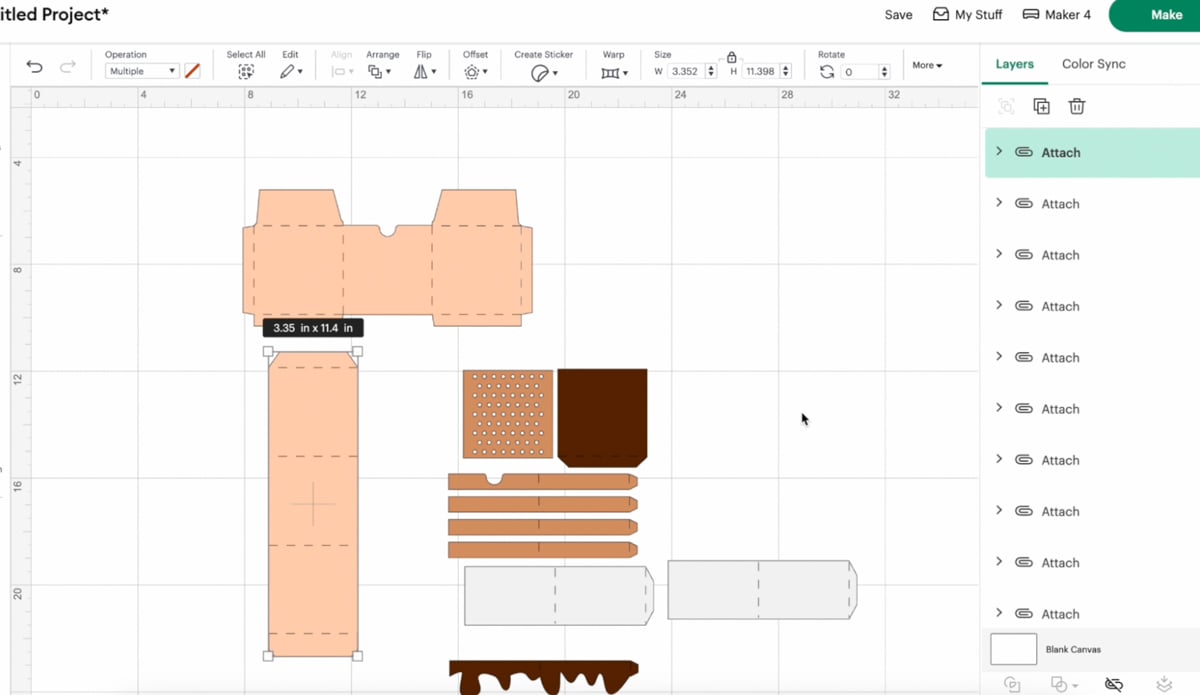
- Open Cricut Design Space or Silhouette Studio (you will need Silhouette Studio Designer Edition for SVG files).
- Upload the free s’mores SVG from your zip folder.
- Scale the design to fit a 12″x12″ sheet. Adjust the width to about 23 inches if needed — the largest piece should stay within your cardstock limits.
- Ungroup everything.
- Convert all straight lines to score lines.
- Attach score lines back to their respective pieces.
Note: If you don’t have a scoring stylus for your Cricut machine, you can delete the score lines and fold manually.
Now you’re ready to cut using medium cardstock settings!
Assembling Your 3D S’mores Box
After cutting out your pieces, it’s time to assemble:
Fold along all score lines. Use a bone tool if you have one for extra crispness.


Start with the long strip (the “box sides”) and attach it to the H-shaped backing piece.
Carefully glue the flaps and work your way around the box base.
Layer your decorations:

- Attach your top graham crackers first. Make sure the divot is lined up on the top.


- Follow with the “toasted” marshmallow layer (optional: use makeup for realistic smoky edges!)

- Top with your chocolate bars layer
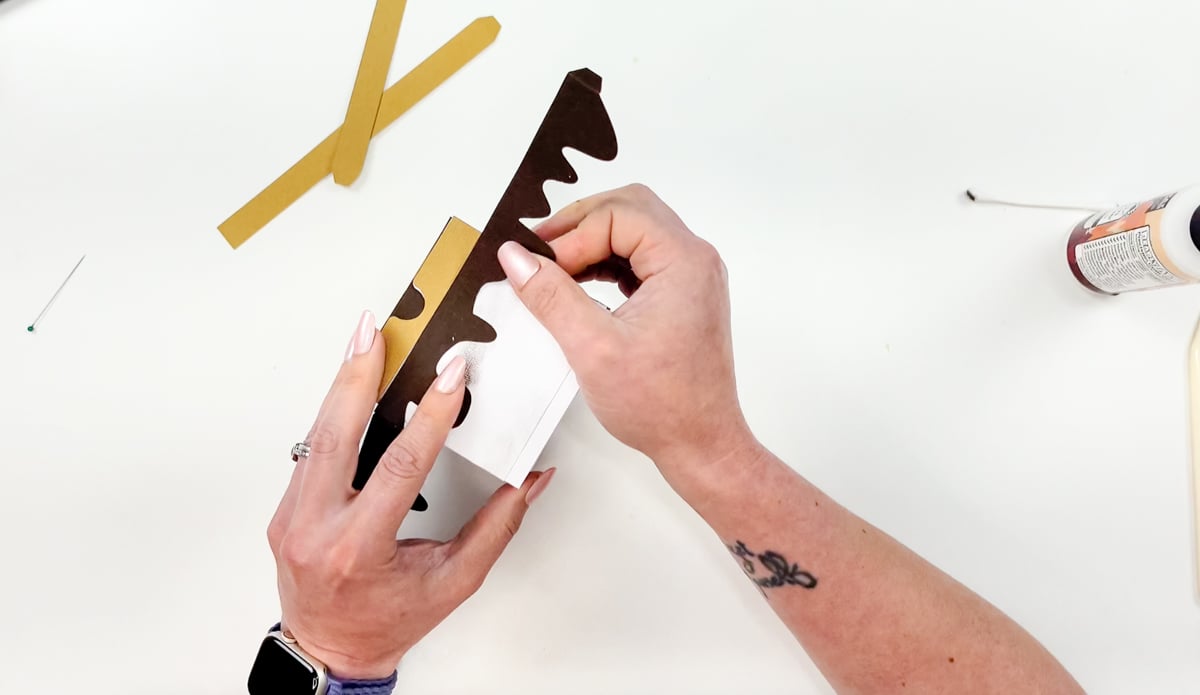
- Finish with the bottom graham cracker layer.

Each section wraps around the box neatly to create a fun, layered s’mores design.
Patience is key! Take your time while gluing to avoid slipping pieces.
Creative Ways to Use This Free Cut File
This 3D s’mores SVG free design isn’t just adorable—it’s versatile! Here are a few creative project ideas:
- S’mores station centerpiece for backyard parties
- Camping gear gift box
- Birthday party favor boxes (especially camping or outdoor themes)
- Fun gift idea filled with mini graham crackers, mini chocolate bars, and marshmallows
- Cute packaging for small businesses selling camping-themed treats
- DIY teacher gifts with a “You’re S’more Than Amazing” card tucked inside!
Add vinyl lettering or vinyl decals to the box for a personal touch!
Troubleshooting Tips
Having trouble resizing?
Make sure you “Attach” your score lines correctly. Otherwise, Cricut Design Space or Silhouette machines might separate them during cutting.
Score line errors?
If your machine isn’t scoring correctly, check that you selected “Score” instead of “Cut” under your operation settings.
Zip file issues?
Remember, you need to fully unzip the zip format folder before uploading. If you try to upload straight from the compressed file, it won’t work.
How to Get Your Free S’mores SVG Cut File
This free cut file is housed in my password protected Community Vault, Design Number #190
To access the free files:
- Enter your email address to get the password and unlock the vault.
- Enter the Community Vault with the password from the Welcome Email.
- Click the download button under the S’mores Box listing.
- The zip file will start downloading instantly!
All downloads are for personal use and small business physical product use only. No digital resales permitted.
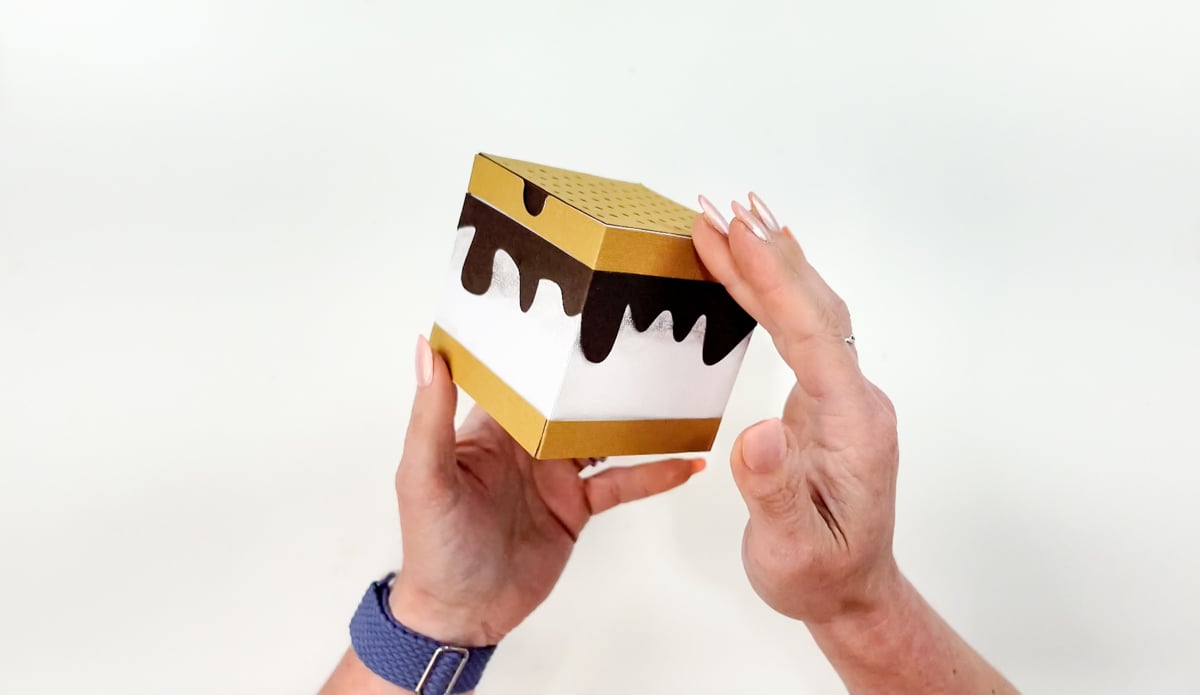
This s’mores SVG free 3D box file is the perfect way to bring summer vibes to your crafting! Whether you use it for parties, gifts, or just fun creative projects, you’ll love how adorable this box turns out.


