
New Cricut Machines 2026 | All About the Joy 2 & Explore 5


The new Cricut machines 2026 lineup is officially here… and I have thoughts.
Cricut released two “new” machines: the Joy 2 and the Explore 5.
If you’re a current Cricut user (especially if you already own a Cricut Maker, Cricut Joy Xtra, or even an Explore 3), you’re probably wondering:
Do I need to upgrade?
Is this actually better?
Or is this just a refresh?
I’m going to give you my honest thoughts… because I will not be purchasing these machines (just being forward about it). So, here is why:
First, Let’s break down what’s actually new.
This blog may contain affiliate links, please read my full disclosure here.
What Are the New Cricut Machines 2026?
The new Cricut machines 2026 include:
That’s it. No new Cricut Maker. No Cricut Venture replacement. Just two refreshed models aimed mostly at beginner and mid-level users.
Cricut is positioning these as faster, smaller, more streamlined machines with updated tooling systems.
My honest opinion? I’m not sure these were the updates most current users were hoping for — especially with so many conversations still happening around Design Space performance and features.
Cricut Joy 2: What’s Actually New?
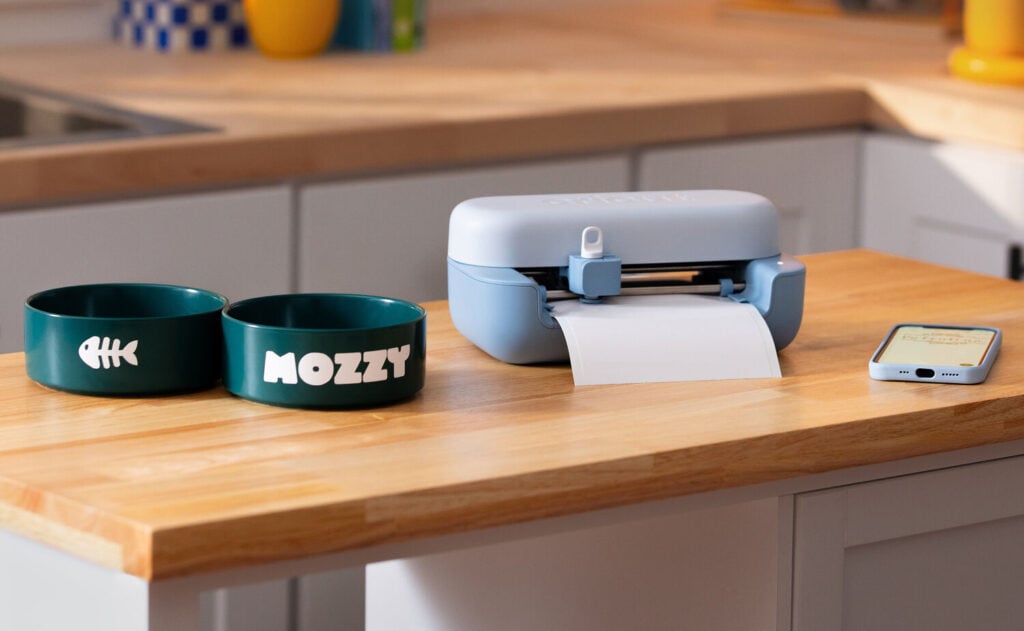
Let’s start with the Joy 2.
What’s new:
- 30% smaller footprint
- Now includes Print Then Cut
- Has scoring capability
- Updated blade housing system
Price point for just the machine and basic bundle: $99
The smaller footprint is nice. I’ll give them that. If space is tight in your craft room, that’s appealing.
The addition of Print Then Cut is big for Joy users. Previously, you had to move up to larger models for that feature. Being able to create custom cards, stickers, and other popular projects on a compact machine makes it more versatile.
But here’s the thing.
If you already own a Cricut Joy Xtra… this isn’t groundbreaking.
The Cricut Joy Xtra already handles many popular project types and supports smart materials in a similar way. So while the Joy 2 is technically part of the new Cricut machines 2026 launch, it feels more like a feature shift than a revolution.
Cricut Explore 5: Faster, Smaller… and Different
Now let’s talk about the Explore 5.
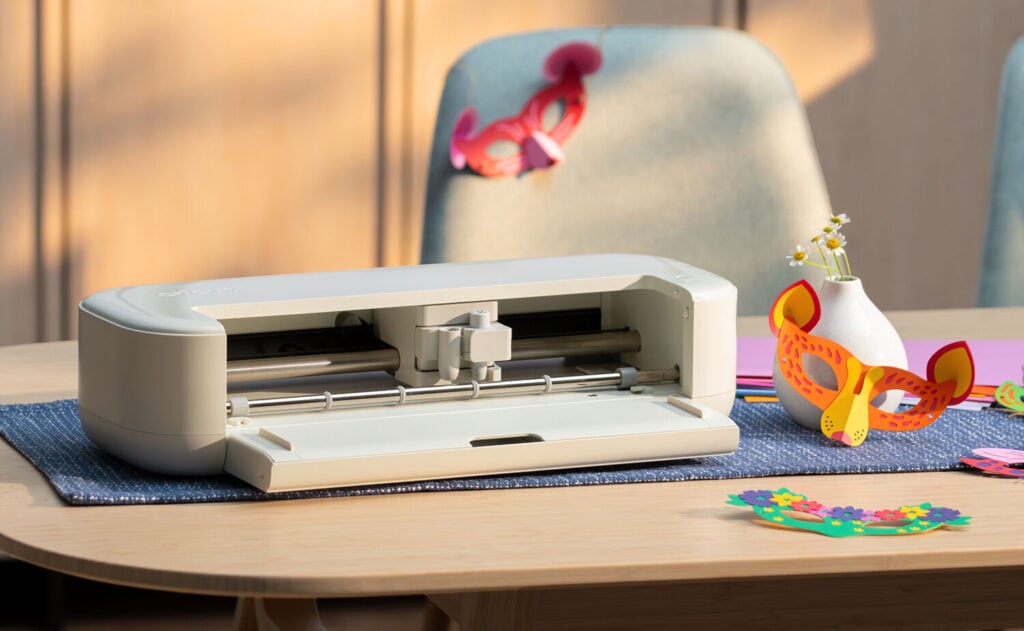
This machine is:
- Faster
- Slightly smaller
- Using a new blade housing system
- Marketed as more streamlined
Price point for just the machine and basic bundle: $199
If you’re coming from older previous models, the speed improvement may be noticeable.
But here’s my honest take.
My Cricut Maker 4 is already fast. And even older models have Fast Mode.
So speed alone isn’t enough for me to upgrade.
The smaller footprint? Sure. Nice.
Game-changing? No.
When Cricut markets these as the best Cricut machines in this tier, I think that really depends on your purchase amount and your expectations.
Because here’s where things get interesting…
The New Blade Housing System (And Why I Don’t Love It)
Both of the new Cricut machines 2026 use a different blade housing setup.
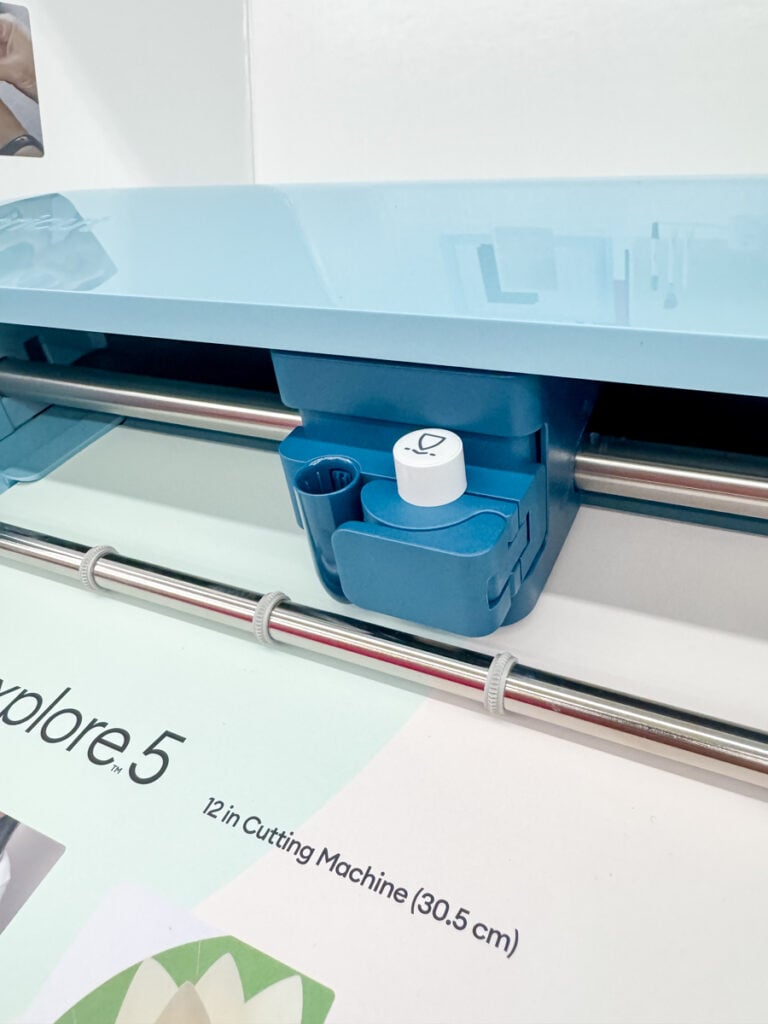
With older machines, you could pop out the blade and replace it cheaply. Find my favorite blades here on Amazon.
With these new machines?
You replace the entire housing.
That means when your blade dulls, you’re spending around $13–$15 instead of just swapping the blade.
Yes: this is similar to how Silhouette has structured their machines.
And yes: you can still buy the old housings for older models. (This is at least my understanding as per their website).
So my question is:
Why move to a system that costs users more long-term?
For heavy crafters cutting different materials regularly, this adds up.
If you teach, sell, or create consistently, your machine cuts a lot. And that replacement cycle matters.
From my perspective, this feels less like a major innovation and more like a shift toward a different tooling system that may increase long-term replacement costs.
Design Space Changes: Guided Design Flow & Uploading
Now let’s talk software.
Cricut is continuing to push the guided design flow inside Cricut Design Space. (This isn’t a new feature exactly; it was released in December.)
This makes it easier for beginners to choose popular projects and follow step-by-step prompts.
For brand new users, that’s helpful.
For experienced users? Most of us skip it.
Uploading & non-users have also been a hot topic. Cricut Design Space still requires an account, and while uploading your own design files is free, the system continues to nudge users toward Cricut Access.
Cricut Access is not required. But it’s heavily integrated.
And if you’re not using their design elements, fonts, or images, you may find yourself constantly navigating around those prompts.
The design space software itself hasn’t dramatically changed with these new machines… which tells me the hardware refresh isn’t paired with major innovation.
Smart Materials, Popular Projects & Compatibility
The new Cricut machines 2026 continue supporting Smart Materials.
If you like cutting without a mat, that’s a win.
They handle popular projects like large vinyl decals or bulk HTV projects.
But again… so do previous models.
If you’re working with different materials like basswood, leather, or thicker specialty materials, you’re still better off with a Cricut Maker or larger models like the Cricut Venture.
The Venture, by the way, is still the powerhouse for high-volume creators.
The Joy 2 and Explore 5 are not competing in that space.
Build Quality… My Honest Thoughts
I’m going to say it.
They look a little cheaply made.

There’s no top cover.
That means dust can settle inside your machine.
If you craft often, dust is real. Paper fibers are real.
And protecting your investment matters.
The cleaner, enclosed structure of older Cricut Maker models feels sturdier to me.
When I look at these new products, they feel lighter and more open.
Maybe that doesn’t bother you.
It bothers me.
Should You Upgrade?
If you already own:
- Cricut Maker, 3, or 4
- Cricut Joy Xtra
- Explore Air, 3, or 4
I personally would not upgrade.
If you’re brand new and choosing between the best Cricut machines currently available? Then yes… I guess one of the new machines could make sense depending on your project type.
But this is not a must-have launch.
It’s an evolution toward:
- New housing systems
- New pens
- New accessories
- A streamlined beginner experience
And likely a future where older blade systems fade out.
Final Thoughts on the New Cricut Machines 2026
The new Cricut machines 2026 are faster and smaller.
They support Print Then Cut on a compact machine.
They continue integrating Cricut Access and guided design flow inside Cricut Design Space.
But for current users?
This is not a necessary upgrade.
I won’t be purchasing.
I’ll keep using my Cricut Maker 4.
And if you’re budget-conscious, I would recommend investing in materials, tools, and learning skills before upgrading your hardware.
Because at the end of the day?
The machine is only as good as your design knowledge.
Want Real Cricut Education (For Free)?
If you want honest Cricut reviews, beginner tutorials, and free SVG files… join my email list.
I teach you how to use your machine without paying for subscriptions you don’t need.
Drop your email below and I’ll send you free projects, tips, and my real opinions on new releases.
Stay crafty.




To be honest. . . . I have a Maker 3 and it works great! I’m not a heavy user, but when I do sit down to make something, it most always turns out great. Last year, because of an illness, I did not touch my Cricut for the whole year, and now find the upgrades have set me back to being a beginner! I’m wanting to work again now. I quickly need sources to help me catch up. Any ideas?
I have this blog and video that might help! https://dinosaurmama.com/post/cricut-design-space-update-2026/
Great review! To me, the machines, never mind the new blade assembly, look almost “3d printed by someone’s kid.”
The new blade assembly is definitely a cash grab, as are the new pens. I am sure that sooner or later, someone will figure out how to 3d print the housing and a pen adapter, but until then, $15 is too high a price for a blade. And, I am assuming, you would need several different blades to be able to cut a range of materials.
They should have put the time and effort into fix the buggy software! No software on the planet should require updates every 36-72 hours! (At least that’s what it seems to me.)
I’ll be sticking to my Air 2. When it no longer works, I will replace with another Explore, unless I can find a really good deal on a first or second generation Maker.
I agree completely. Also, someone left a comment saying their Air isn’t allowing the CUSTOM on the dial anymore. They get a warning. I am wondering if they are attempting to brick these. Such a shame.
My Air2 still allows me to choose media when “custom” is engaged. But the interface to choose materials looks a little different. There’s just a little ^ icon in the top right of my computer screen which opens a drop down menu for materials. It’s tricky to find so I though same thing at first too.
Thank you for your review. It mirrors my thoughts. I have the Maker 3 and until it dies I won’t be upgrading. But it would like to see a bigger tool housing, switching from score/deboss to blade is my biggest slowdown in my work flow.
I don’t like the price tag of the new replacement parts.
Design space is a large pain, especially the pushing towards their images. I am a subscriber. But I buy a lot of svgs because search sucks, CAP artists designs can’t be sold. There is no way to filter them out – so I shop elsewhere.
Thanks for letting me rant.
Totally agree with your assessment here. Cash grab for cricut with blade housing and not being fully closed is huge issue. My air2 will no longer allow custom settings so I’m sure there will be massive updates and issues as machines come online. Huge silhouette fan now. I would consider the new joy2 only because of portability and quick use vs dragging out a larger machine. Especially for quick cards or print then cut stickers. I also noticed the new joy2 is super quiet compared to larger machines. So if I ever got another cricut it might be the joy2 for those reasons.
Kelsey, I completely agree with you on your assessment of the new machines. I also did not like the new blade system, for the same reason..higher cost to replace. And I also did not like that the Explore 5 has no lid. It is not as nice looking with the open top, and I agree that it will attract dust. I have and Explore and a Maker, and they both work just fine for me. I am more unhappy about Design Space and how difficult they are making it for experienced Cricut users who know what they are doing. I appreciate you honest review.